









Advertisement
wavepad-music-and-audio-editor
- 4.6 Ratings
- 25.20M Size
- 12+ Age
-
Category
Music & Audio -
Updated
-
Version
19.77 -
Developer
NCH Software -
Security
100%
Advertisement
Screenshots
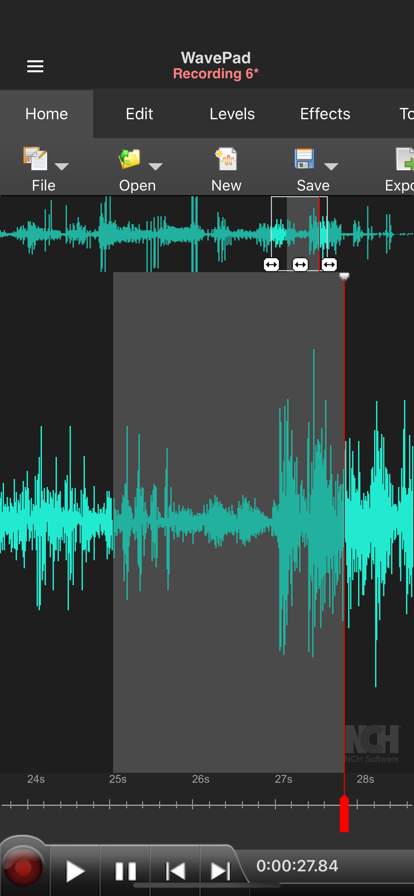
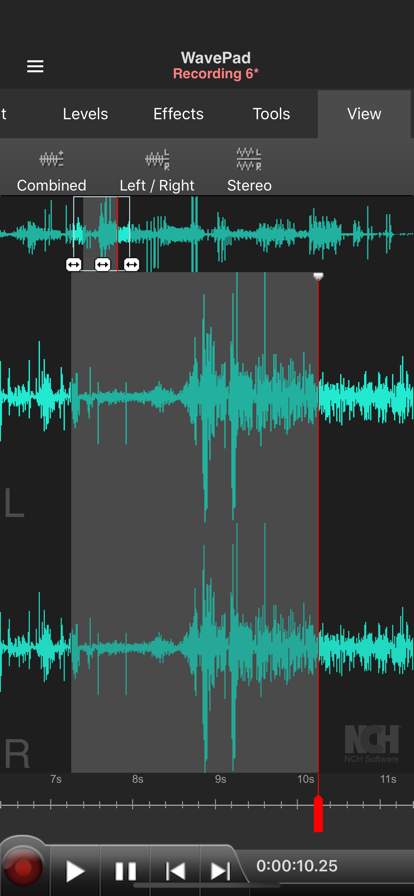
What to expect
WavePad Music and Audio Editor is a versatile and powerful tool that allows users to create, edit, and enhance audio files with ease. Whether you are a professional musician, a sound engineer, a podcaster, or just someone who loves playing with audio, WavePad provides all the necessary features to help you achieve your audio editing goals.
One of the key features of WavePad is its user-friendly interface, which makes it easy for both beginners and experienced users to navigate the software. The intuitive layout allows you to quickly access all the tools and functions you need to edit your audio files efficiently. You can cut, copy, paste, and trim audio clips with precision, ensuring that your audio projects sound seamless and professional.
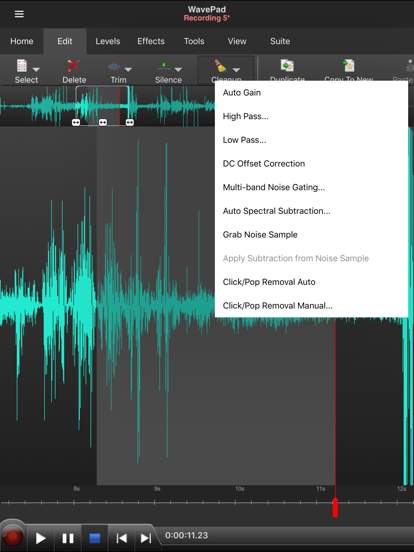
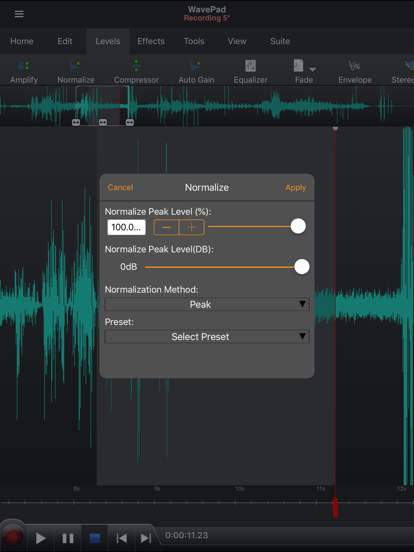
WavePad offers a wide range of audio editing tools to help you enhance the quality of your audio files. You can apply various audio effects, such as reverb, echo, distortion, and more, to add depth and richness to your recordings. The software also includes tools for noise reduction, equalization, and compression, allowing you to clean up and polish your audio tracks for a pristine sound.
For musicians and music producers, WavePad provides support for a variety of audio formats, including MP3, WAV, WMA, and more. You can easily import, record, and mix multiple tracks to create complex audio compositions. The software also includes a built-in MIDI editor, allowing you to work with virtual instruments and create dynamic musical arrangements.
Podcasters and voiceover artists can benefit from WavePad's voice recording and editing capabilities. You can record high-quality voiceovers, interviews, and podcasts directly within the software, and then edit and enhance them with the various tools available. WavePad also features text-to-speech functionality, making it easy to convert text scripts into spoken audio for your projects.
In addition to its editing features, WavePad offers advanced audio analysis tools to help you visualize and understand your audio files better. You can view detailed spectrogram and waveform displays, analyze frequencies, and detect peaks and valleys in your audio tracks. This can be especially useful for mastering and fine-tuning your audio projects.
Overall, WavePad Music and Audio Editor is a comprehensive and user-friendly software that caters to a wide range of audio editing needs. Whether you are a music enthusiast, a content creator, or a professional in the audio industry, WavePad provides the tools and features you need to bring your audio projects to life with precision and creativity.
Verified antivirus
Similar Apps
-

- cross-dj---music-mixer-app
- 3.7
-
- garage-ringtones-for-iphone
- 4.7
-
- Music Player ‣ MP3 PLAYER
- 4.5
-
- Water Eject ‒ Speaker Cleaner
- 4.7
-
- Logic Remote
- 4.6
-
- healing-frequency-sleep-sounds
- 4.8
-
- snaptube-play-music-offline
- 4.5
-
- music-player--bass-boostmusic
- 4.7
-
- feeture-artist-music-collab
- 5.0
-
- audio-editor-music-editor
- 4.5
-
- 360-reality-audio-live
- 1.8
-
- isyncr-itunes-to-android
- 4.3