










Advertisement

react-native-paper-example
- 4.6 Ratings
- Size
- 12+ Age
-
Category
Libraries & Demo -
Updated
Jan 10,2025 -
Version
3.16.0 -
Developer
Callstack -
Security
100%
Advertisement
Screenshots
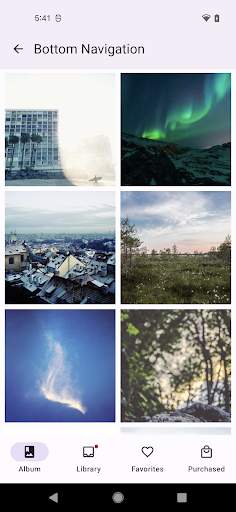
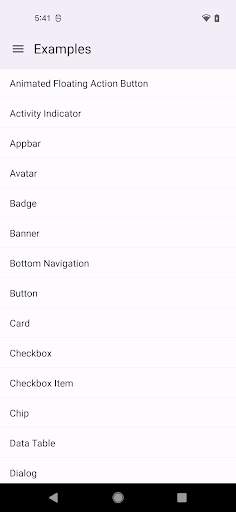
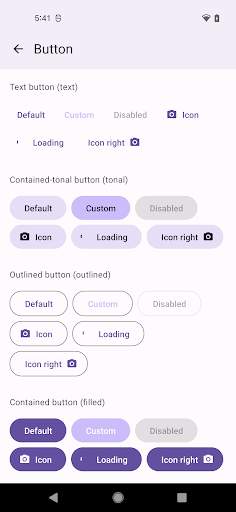
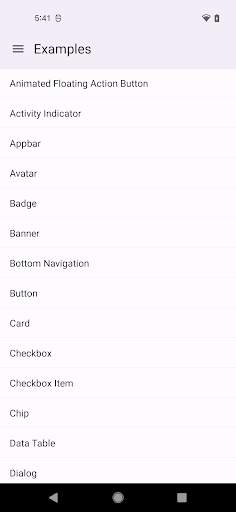
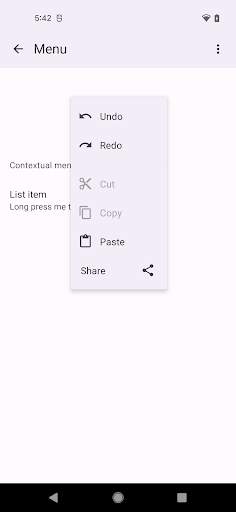
What to expect
React Native Paper Example is a comprehensive and user-friendly guide for developers looking to explore the capabilities of React Native Paper, a popular UI library for React Native apps. This example project serves as a practical demonstration of how to incorporate React Native Paper components into your mobile applications, allowing you to create visually appealing and responsive user interfaces with ease.
React Native Paper is built on top of Material Design guidelines, offering a wide range of customizable and pre-designed components that streamline the development process and enhance the overall user experience. By leveraging React Native Paper, developers can quickly prototype and build cross-platform applications that adhere to modern design standards without compromising performance or functionality.
In this example project, you will find step-by-step instructions on how to set up a new React Native project, install and configure React Native Paper, and integrate various components such as buttons, cards, dialogs, and more. The project showcases best practices for organizing your code, handling navigation, managing state, and styling components effectively using React Native Paper's theming system.
Whether you are a beginner looking to learn React Native development or an experienced developer seeking to enhance your UI design skills, React Native Paper Example provides a hands-on approach to mastering the fundamentals of building mobile apps with React Native Paper. The project is designed to be accessible to developers of all levels, offering clear explanations and practical examples that demonstrate the power and versatility of React Native Paper.
Key features of React Native Paper Example include:
1. **Easy setup**: Get started quickly with a ready-to-use React Native project template that includes React Native Paper dependencies and configuration settings.
2. **Component showcase**: Explore a variety of React Native Paper components and learn how to incorporate them into your app, complete with code snippets and explanations.
3. **Theming**: Learn how to create custom themes for your React Native Paper components to ensure consistency and maintainability across your app.
4. **Navigation**: Discover how to implement navigation between screens using React Navigation and integrate React Native Paper components seamlessly.
5. **State management**: Understand best practices for managing state in React Native applications and leveraging React hooks to update component state efficiently.
6. **Responsive design**: Learn how to create responsive layouts that adapt to different screen sizes and orientations, ensuring a consistent user experience on various devices.
By following along with React Native Paper Example, you will gain valuable insights into building robust and visually appealing mobile applications with React Native Paper. Whether you are building a personal project, a client app, or a portfolio piece, this example project will equip you with the knowledge and skills needed to create engaging and professional-looking apps using React Native Paper.
Verified antivirus
Similar Apps
-

- wireless-charge-phone-to-phone
- 4.4
-
- P2S Game Database PS2 MAX
- 4.3
-
- wireless-display
- 4.4
-
- amplified-bible-offline
- 4.8
-
- flutter-ui-app-template
- 0.0
-
- Key Attestation Demo
- 4.9
-
- call-details-of-any-number
- 3.6
-
- basic-root-checker-pro--unroot
- 4.2
-
- Samsung Galaxy SmartTag
- 4.2
-
- MusicBrainz
- 3.1
-
- microphone-block-mic-anti-spy
- 4.4
-
- hp-deskjet-3772-wireless-guide
- 0.0