









Advertisement
Microsoft Outlook
- 4.6 Ratings
- 347.75M Size
- 12+ Age
-
Category
Business Office -
Updated
Mar 31,2025 -
Version
4.2512.0 -
Developer
Microsoft Corporation -
Security
100%
Advertisement
Screenshots
What to expect
Microsoft Outlook is a versatile and powerful email application that has been a staple in the business world for decades. Originally released in 1997 as part of the Microsoft Office suite, Outlook has evolved to become much more than just an email client, offering a wide range of features to help users manage their communication, schedules, and tasks efficiently.
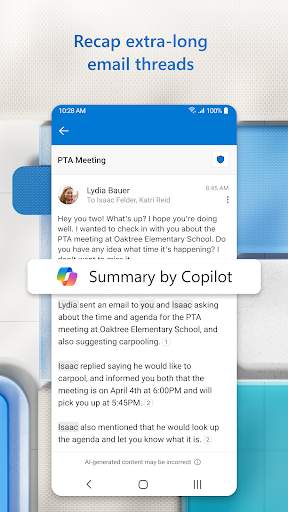
One of the key features of Microsoft Outlook is its email management capabilities. Users can easily send, receive, and organize emails in a clean and intuitive interface. Outlook also offers powerful filtering and sorting options, as well as the ability to create rules to automatically organize incoming emails into folders. With support for multiple email accounts, users can access all their emails in one place, making it easier to stay on top of their inbox.
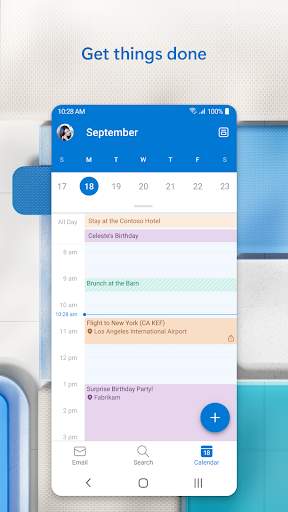
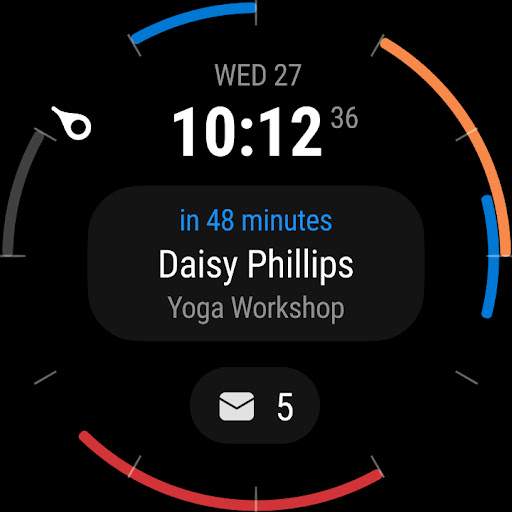
In addition to email, Microsoft Outlook also includes a calendar feature that allows users to schedule appointments, meetings, and events. The calendar can be easily synced with other calendars, such as Google Calendar, making it easy to manage all your appointments in one place. Users can set reminders, create recurring events, and even share their calendar with others, making it a valuable tool for staying organized and on schedule.
Outlook also includes a robust task management feature, allowing users to create to-do lists, set priorities, and track progress on their tasks. Tasks can be linked to emails or calendar events, making it easy to stay organized and focused on what needs to be done. Users can also categorize tasks, set due dates, and mark tasks as complete, helping them stay on top of their workload.
Another standout feature of Microsoft Outlook is its integration with other Microsoft Office applications, such as Word, Excel, and PowerPoint. Users can easily attach files from these applications to emails, collaborate on documents in real-time, and schedule meetings directly from Outlook. This integration streamlines workflow and enhances productivity, making it easier for users to work seamlessly across different platforms.
Microsoft Outlook is available on multiple platforms, including Windows, Mac, iOS, and Android, ensuring that users can access their emails, calendars, and tasks from anywhere. The application also offers robust security features, such as encryption, two-factor authentication, and anti-phishing tools, to keep users' data safe and secure.
In conclusion, Microsoft Outlook is a comprehensive and feature-rich email application that goes beyond just managing emails. With its powerful email, calendar, and task management features, seamless integration with other Microsoft Office applications, and strong security measures, Outlook is an essential tool for professionals looking to stay organized, productive, and connected in today's fast-paced business world.
Verified antivirus
Similar Apps
-

- QR & Barcode Reader
- 4.6
-
- AstroLink Proxy
- 4.4
-
- Countdown Widget・Countdown app
- 4.2
-
- PDF Note Reader
- 4.2
-
- cloud-storage-cloud-drive-app
- 4.5
-
- quickbooks-workforce
- 4.6
-
- Ultra VPN — Super Secure Proxy
- 4.2
-
- Planning Center Services
- 4.3
-
- Google Gemini
- 4.6
-
- Noteshelf 3: Digital Notes
- 4.2
-
- Monica AI: Deep Chat & Search
- 4.6
-
- alarm-clock-for-me
- 4.3