










Advertisement

Microsoft OneDrive
- 4.6 Ratings
- 284.95M Size
- 12+ Age
-
Category
Business Office -
Updated
Mar 28,2025 -
Version
16.7.3 -
Developer
Microsoft Corporation -
Security
100%
Advertisement
Screenshots


What to expect
Microsoft OneDrive is a cloud storage service provided by the tech giant Microsoft. It allows users to store, sync, and share files and folders online, making it easier to access their data from anywhere and on any device. OneDrive offers a seamless and convenient way to keep all your important files, photos, videos, and documents safe and easily accessible.
One of the key features of Microsoft OneDrive is its integration with other Microsoft services and products, such as Office 365 and Windows operating systems. This integration allows users to easily create, edit, and share Office documents directly from OneDrive, making collaboration with colleagues or friends a breeze. Whether you're working on a Word document, Excel spreadsheet, or PowerPoint presentation, OneDrive ensures that your files are always up to date and accessible.
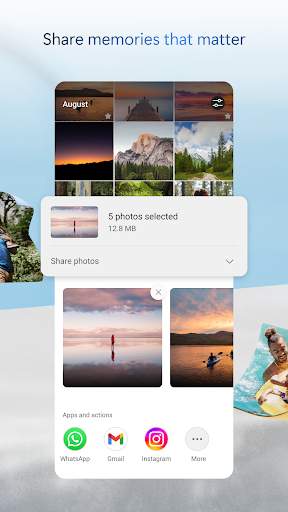
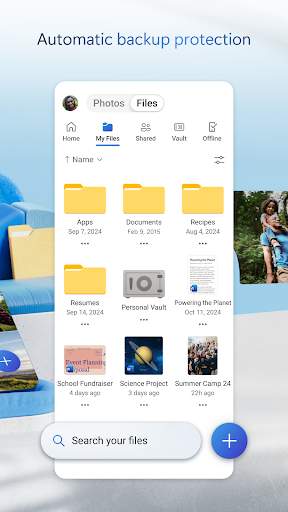
With OneDrive, users can upload files of various types, including documents, photos, videos, and music, to their personal cloud storage space. This not only frees up space on their devices but also provides a backup in case of hardware failure or loss. The ability to access files from any device with an internet connection means users can work on projects, share memories, or collaborate with others on the go.
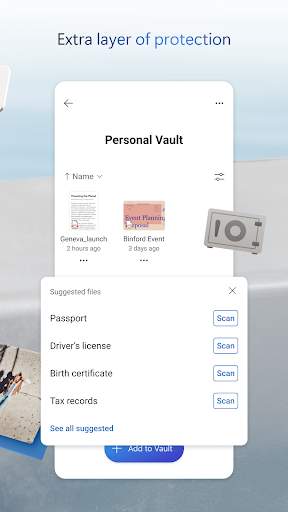
OneDrive offers robust security features to keep your data safe and secure. Files stored on OneDrive are encrypted both in transit and at rest, ensuring that your information is protected from unauthorized access. Users can also set permissions and share files with specific individuals or groups, giving them control over who can view or edit their content.
Another standout feature of Microsoft OneDrive is its photo and video storage capabilities. The service offers automatic camera roll backup for mobile devices, making it easy to safeguard your precious memories. Users can also create albums, slideshows, and photo galleries to organize and share their photos with friends and family.
In addition to personal use, Microsoft OneDrive is also widely used in the business and education sectors. Organizations can take advantage of OneDrive for Business, which offers enhanced security, compliance, and collaboration features tailored to the needs of businesses. Schools and universities can leverage OneDrive for Education to provide students and educators with a secure platform for storing and sharing educational resources.
Overall, Microsoft OneDrive is a versatile and reliable cloud storage solution that offers seamless integration with Microsoft's ecosystem of products and services. Whether you're a student looking to store your assignments, a professional collaborating on projects, or a family sharing memories, OneDrive provides a secure and convenient way to store, sync, and share your files. With its user-friendly interface, robust security measures, and cross-platform compatibility, OneDrive is a valuable tool for anyone looking to streamline their digital life.
Verified antivirus